
B1G+: Watch College Sports
Big Ten NetworkSports
2.42.96K Reviews
- Version
- Varies With Device
- Installs
- 1.00M
- Age Rating
- Everyone
Screenshots
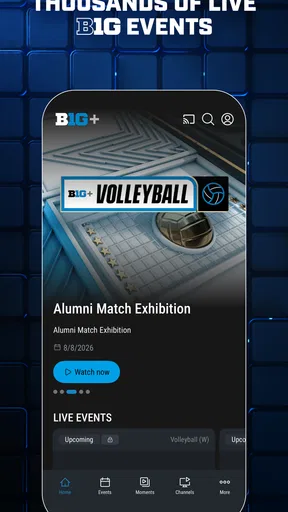
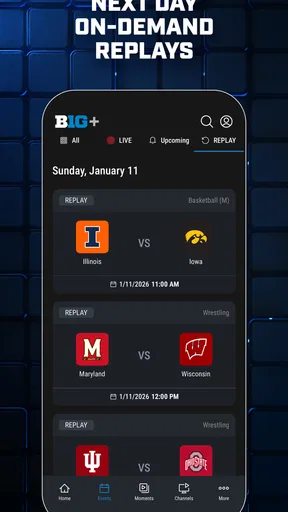
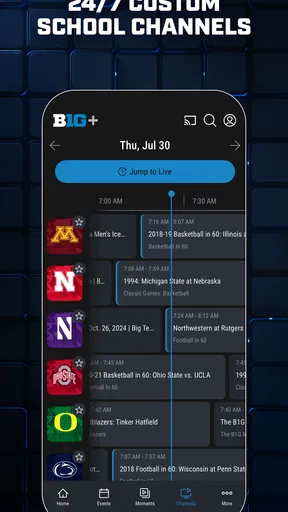
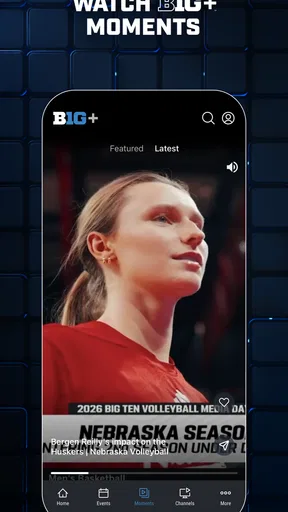
Our Review of B1G+: Watch College Sports
 Analysis by Appyee
I recently got my hands on the B1G+: Watch College Sports app, and let me tell you, it's been quite the game-changer for my sports-watching habits. If you're as obsessed with college sports as I am, you’ll want to dive into this app and see what it has to offer. Let’s break it down and see why it’s worth a spot on your phone.
What a First-Time Viewer Should Expect
B1G+ is a sports app from Big Ten Network built around watching college games and related video. Its clearest use is catching live streams of games that are not televised, then returning for next-day replays or other on-demand viewing. That makes it more focused than a general sports app: I would open it for Big Ten coverage, not as my one-stop destination for every league or team I follow.
The app is free to install, but access to all viewing options can involve in-app purchases, with listed purchase amounts ranging from $9.99 to $99.99 per item. I’d treat that as a reason to check the available access terms before planning a full season around it, rather than assuming that installing the app automatically unlocks every game. If you mainly want to sample what is available, start by looking through the content and deciding whether the specific events you care about justify paying.
For a first-time user, the most useful expectation is modest and practical: this is a way to follow Big Ten sports when a game or replay is available through the service. It is not a substitute for checking whether a particular matchup is accessible to you at the time you want to watch. I would make that check before inviting friends over or relying on a stream as the only way to follow an important game.
Bringing College Sports Right to Your Fingertips
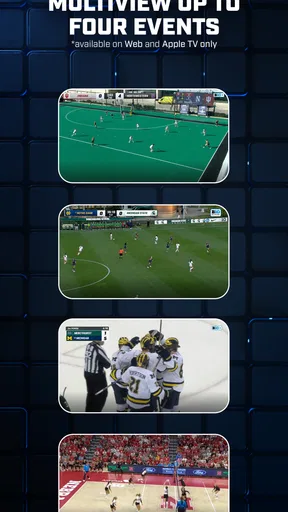
First things first, the sheer amount of content available on B1G+ is impressive. Whether you’re a fan of basketball, football, or any of the other sports in the Big Ten Conference, this app has you covered. I was pleasantly surprised by the variety of live games, replays, and exclusive content that I could access with just a few taps.
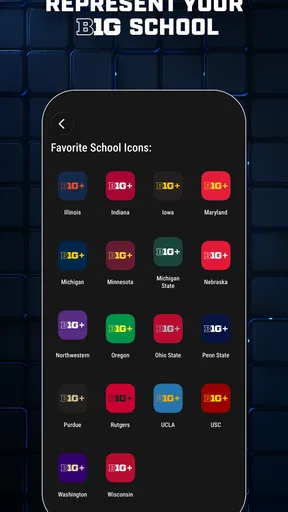
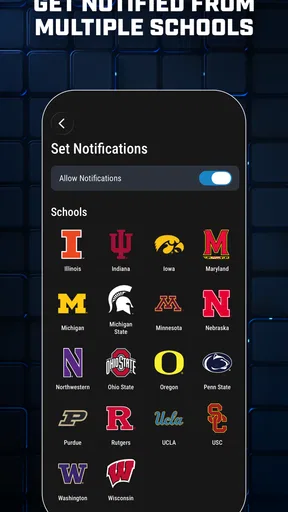
The interface is super user-friendly, which makes navigating through the plethora of games a breeze. I could easily find my favorite teams and set up alerts for upcoming games, so I never miss a beat. It’s like having my personal sports concierge.
Getting Set Up Without Guesswork
My advice is to begin with the team or event you actually care about, rather than browsing every section at once. That gives you a quick way to judge whether the app has useful coverage for your interests. If you follow more than one Big Ten team, make a short list of the matchups you would realistically watch; it is easier to evaluate the value of the app against that list than against a vague promise of “more sports.”
Before game day, I’d also open the app while connected to the network you expect to use and check that you can reach the video you want. This small trial run can separate a setup or connection issue from a problem with a particular event. It also gives you time to review any purchase prompt before you are in a hurry to start watching.
Alerts can help if you tend to forget start times, but I would use them selectively. Following only the teams or events you genuinely want to track keeps your phone from becoming a running stream of reminders. If an alert is not useful, the practical fix is to revisit what you follow rather than expecting every notification to suit your schedule automatically.
Quality Streaming Experience
When it comes to streaming, quality is key. No one wants to watch their favorite team play with constant buffering or poor resolution. Thankfully, B1G+ delivers a smooth streaming experience. The video quality is crisp, and the app does a great job at maintaining a stable connection, even during peak times.
I did notice that a good Wi-Fi or data connection is essential for the best experience, but that’s pretty standard with any streaming service these days. I was able to watch a full game without any interruptions, which is always a win in my book.
Making the First Watch Count
For me, the best first test is not a high-stakes game I cannot afford to miss. I would start with a replay or a game I have time to watch casually, then see whether the controls and playback fit how I actually follow sports. That lets me learn the viewing routine without the frustration of troubleshooting in the middle of a close finish.
A replay also suits an ordinary busy day. If I miss a live game because work or family plans run late, I can look for the next-day replay and choose a calmer time to catch up. The trade-off is that a replay is not the same as sharing the live moment with friends or following real-time conversation, so I would still use live viewing for the matchups where that shared timing matters most.
If I am short on time, I would look for highlights or a recap rather than starting a full replay and hoping to finish it. That is a more realistic way to stay familiar with a team’s recent action on a lunch break or during a commute, although video still depends on having a suitable connection and a safe opportunity to watch.
Exclusive Content and Features
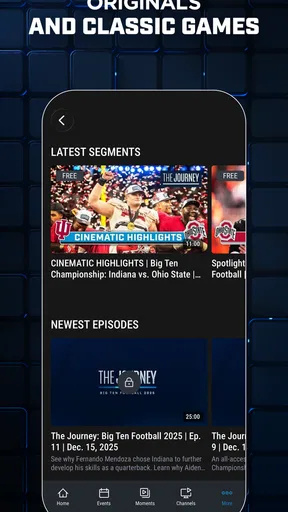
Beyond the live games, B1G+ offers some really cool exclusive content. From behind-the-scenes footage to interviews with athletes and coaches, there’s a lot to keep a sports fan entertained. I found myself diving into these extras more than I expected, and it added a whole new dimension to my sports fandom.
One feature I particularly enjoyed was the ability to watch highlights and recaps. If I missed a game or just wanted to see the best plays, I could quickly catch up without having to watch the entire match. It’s perfect for those times when I’m short on time but still want to stay in the loop.
Where It Fits Among Sports Apps
Compared with a broad sports-news app, this one is more useful when my goal is watching Big Ten video rather than checking scores from leagues around the world. A general sports app may be the better everyday companion if I mostly want quick scores, headlines, or coverage across many competitions. B1G+ makes more sense when I care about the conference’s streams, replays, and related video in particular.
It also differs from relying on a regular television broadcast. The attraction here is access to games that are not televised, along with the ability to revisit certain content later. But it should not be treated as a guarantee that every game I want will be available in the exact format I prefer. I would compare the event I want to watch with the app’s current options before choosing it over a broadcast or another service.
The strongest fit, in my view, is a fan who follows Big Ten teams closely enough to make use of both live viewing and catch-up video. A casual viewer who watches only one occasional matchup may be better off checking whether that game is available before spending money. Someone who needs broad coverage of unrelated sports should keep a wider sports service in the mix rather than expecting this app to replace it.
Subscription Options
Of course, all this content isn’t free. B1G+ offers several subscription options, which are pretty reasonably priced considering the access you get. There’s a monthly subscription, which is great if you just want to dip your toes in, and an annual plan that offers better value for those committed fans.
I went with the monthly plan initially to test the waters, but I’m already considering upgrading to the annual subscription. The convenience and access to content make it worth every penny.
Because purchase options can be easy to overlook when you are focused on a game, I would check the terms shown in the app before choosing a plan. The available in-app purchase amounts range from $9.99 to $99.99 per item, so the sensible question is not simply whether the app is free to download; it is whether the content you want is included in the option you are considering. I would not commit to a longer period until I had confirmed that the schedule and viewing choices match my habits.
That calculation changes from fan to fan. If I watch several events across a season and use replays when I miss live action, a paid option may be easier to justify. If I only want one game, or if I usually follow sports through scores and brief clips, the cost may not feel worthwhile. The app is rated for Everyone, but that age rating is separate from the question of whether its purchase options make sense for a particular household.
Common Points of Confusion
The first possible misunderstanding is assuming that free installation means all content is free to watch. It does not: in-app purchases are part of the experience, so I would read each offer carefully and decide what access it provides before confirming anything. This is especially important if someone else in the household may use the same device or account.
Another point is the difference between live coverage and catch-up viewing. A live stream is the choice when I want to follow a game as it happens; a next-day replay is more convenient when my schedule gets in the way, but it is not live. Highlights and recaps answer a different need again: they are for getting the main moments without setting aside the time for the whole event.
Connection quality is a separate issue from the app’s content. If playback struggles, I would first try a stronger Wi-Fi or data connection and reopen the video before deciding the app itself is unusable. For an important game, testing ahead is more reassuring than waiting until tipoff or kickoff to find out whether the connection in that room can handle streaming.
The app has a 2.4 average from around 7,000 ratings and about 2,900 written reviews, so I would not assume every user has the same experience I did. It has been installed over a million times, but popularity alone does not settle whether it suits your device, connection, or viewing needs. The current version is 11.18.1, and the app supports devices running Android 8.0 or later; if you are using an older device, compatibility is worth checking before you plan around it.
Room for Improvement
While I’ve had a great experience with the app, there are a couple of areas where it could improve. For instance, I’d love to see more customizable notifications. Right now, I get alerts for the games I follow, but having more control over the type of alerts would be a nice touch.
Another thing is the occasional delay in live game updates. It’s not a deal-breaker, but it can be a bit frustrating when trying to keep up with the fast-paced action of a live game.
There is also a practical trade-off in making a phone the main screen for a long event. A small display is convenient when I am away from home, but it is not always the most comfortable way to watch a full game with other people. When I want a shared viewing experience, I would rather use a larger screen if my available setup supports it; when I am travelling or catching up alone, the phone’s portability is more useful.
I would skip this app if my main priority were universal sports coverage, if I rarely watch college sports, or if I dislike checking purchase details before viewing. It is also a poor fit when reliable internet is not available at the times I want to watch. Those are not flaws that a better notification setting can fix; they are limits of choosing a focused streaming app for a specific kind of sports viewing.
Final Thoughts
Overall, the B1G+: Watch College Sports app delivers a solid experience for any college sports fan. The breadth of content, ease of use, and quality streaming make it a standout choice. Whether you’re a die-hard fan or a casual viewer, this app has something for everyone. So grab your jersey, get comfortable, and let B1G+ bring the excitement of college sports straight to you. Trust me, you won’t regret it.
My more measured recommendation is to try it with a specific game in mind, confirm what viewing access that game requires, and then see whether live streams, replays, or short-form catch-up fit your routine. Big Ten Network has built a focused option for fans who want this kind of coverage on a phone, and that focus is both its main strength and its boundary. If Big Ten games are already part of your week, it is worth exploring; if not, a broader sports app or your usual viewing option may serve you better.
Verdict
Strengths of B1G+: Watch College Sports
- Extensive college sports coverage.
- User-friendly interface design.
- High-quality streaming available.
- Customizable notifications for games.
- Exclusive behind-the-scenes content.
Limitations of B1G+: Watch College Sports
- Requires a stable internet connection.
- Subscription fees for premium content.
- Limited offline viewing options.
- Occasional streaming delays.
- In-app ads can be intrusive.
Similar Picks in This Category
View All
BeSoccer: Soccer Live Score
BeSoccer apps4.3

Cricbuzz - Live Cricket Scores
Cricbuzz.com3.7

NFL
NFL Enterprises LLC2.4

Da Fit
MO YOUNG LIMITED3.6

ESPN
Disney4.5

LiveScore: Live Sports Scores
LiveScore Limited4.5
Frequently Asked Questions
What sports can I watch on B1G+: Watch College Sports?
B1G+ offers a wide variety of college sports, focusing primarily on the Big Ten Conference. You can enjoy live streaming and on-demand replays of sports like football, basketball, soccer, volleyball, and more. The app covers both men's and women's sports, providing extensive coverage throughout the season.
Is a subscription required to use B1G+?
Yes, B1G+ operates on a subscription model, offering several packages to cater to different needs. You can choose from monthly or annual plans, with options to follow specific schools or the entire conference. The subscription provides access to live games, replays, and exclusive content.
Can I watch B1G+ on multiple devices?
B1G+ supports multi-device access, allowing you to stream content on smartphones, tablets, laptops, and smart TVs. However, simultaneous streaming on multiple devices might depend on your subscription plan. Always check the terms of your subscription to understand device limitations.
Does B1G+ offer any free content?
B1G+ may offer limited free content, such as highlights or select games, especially during promotional periods. However, most live games and full replays require a subscription. It’s advisable to explore the app or website to see if any free trials are available to new users.
How reliable is the streaming quality on B1G+?
The streaming quality on B1G+ is generally reliable, offering HD options for most events, provided you have a stable internet connection. Factors like bandwidth and device compatibility can affect streaming performance, so ensure your setup meets the app's technical requirements for the best experience.
